Here's a stat that should matter to every dentist, doctor, and practice owner: 77% of patients use online search before booking a healthcare appointment, and practices with video on their website see up to 41% more web traffic than those without. Yet most dental and medical practices still rely on stock photos and a wall of text to make their first impression.
Patients are making decisions about their health. They want to see the office, meet the doctor, and understand the procedure before they ever pick up the phone. Video is how you give them that experience.
At Maken Media, we've produced video content for healthcare providers ranging from single-location dental practices to multi-physician medical groups. This guide covers everything you need to know to get started — from what to film and how to stay HIPAA compliant, to what it costs and where to post it.
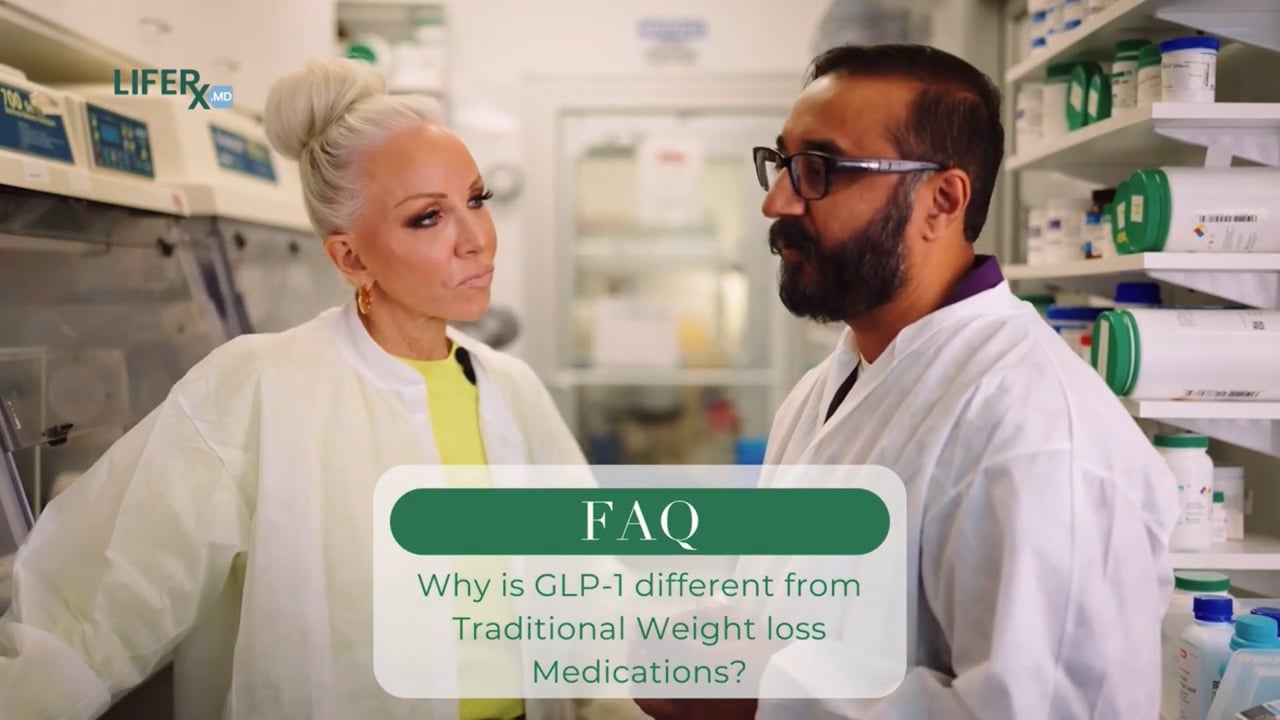
Why Patients Choose Providers With Video
Choosing a healthcare provider is one of the most personal decisions people make. Unlike buying a product, patients are putting their bodies and their trust in a stranger's hands. Video bridges that gap faster than any other medium.
- Trust before the first visit. When a patient sees the doctor speaking on camera — explaining a procedure, sharing their philosophy, even just smiling — they feel like they already know them. That familiarity dramatically reduces the anxiety of a first appointment.
- Reduced no-shows. Patients who watch an office tour or procedure explainer before their appointment know what to expect. They show up more consistently and arrive less anxious.
- Higher case acceptance. Dental practices in particular report that patients who watch treatment explanation videos accept recommended procedures at significantly higher rates than those who only receive a verbal explanation.
- SEO advantage. Google prioritizes pages with video content. A practice with video on its website ranks higher in local search results, which means more new patients finding you organically.
- Social proof at scale. One patient testimonial video can be seen by thousands of potential patients. That's leverage no printed brochure can match.
People don't choose their dentist or doctor based on credentials alone. They choose the provider they feel most comfortable with — and video is the fastest way to create that comfort.
6 Types of Videos Every Practice Should Have
Not all healthcare videos serve the same purpose. A strong video strategy uses different formats to reach patients at different stages — from discovering your practice to deciding on treatment.
Office Tour
Walk potential patients through your space. Show the waiting area, treatment rooms, and technology. Removes the fear of the unknown.
Doctor Introduction
A 60-90 second video where the provider talks about their background, philosophy, and why they care about patient outcomes.
Procedure Explainers
Short videos explaining common treatments — Invisalign, dental implants, Botox, joint injections. Educates and reduces anxiety.
Patient Testimonials
Real patients sharing their experience. The single most persuasive video type for converting someone who's on the fence.
FAQ Videos
Answer the questions your front desk gets every day: "Does it hurt?", "How long is recovery?", "Do you take my insurance?"
Behind the Scenes
Team introductions, day-in-the-life content, office culture moments. Humanizes the practice on social media.
The first three — office tour, doctor intro, and procedure explainers — live on your website and work 24/7 to convert visitors into booked appointments. The last three — testimonials, FAQs, and behind-the-scenes — power your social media and keep your practice top of mind.
HIPAA Compliance: What You Need to Know
This is the section that stops most practices from ever filming. The fear of violating HIPAA is real — and the penalties are serious. But HIPAA doesn't prohibit video marketing. It just requires that you do it correctly.
The core rules
- Never film identifiable patients without written consent. This means a signed HIPAA authorization form specifically for video/photo use — not your standard intake paperwork. The form should state exactly how the footage will be used (website, social media, advertising).
- Protected Health Information (PHI) must never appear on camera. Patient charts, computer screens showing records, appointment schedules, prescription labels, insurance information — all of it needs to be out of frame or obscured.
- Consent can be revoked. If a patient asks you to take down their testimonial video, you must comply. Build your workflow around this reality.
- Minors require parental/guardian consent. Pediatric dentistry and pediatric medical practices need signed authorization from a parent or legal guardian before filming any minor.
- De-identified content is generally safe. Filming your empty office, showing equipment without patient context, or having your doctor explain a procedure using a model or diagram does not involve PHI and doesn't require patient consent.
HIPAA isn't a reason to avoid video. It's a checklist to follow before you press record. Once your consent forms and filming protocols are in place, you can produce content confidently.
We've created a free Healthcare Video Compliance Checklist that covers consent forms, what you can and can't show on camera, and clinical filming best practices. Download it before your first shoot.
Filming in a Clinical Setting
Medical and dental offices present unique production challenges. Here's how to handle them.
Schedule shoots during off-hours or low-traffic blocks.
Filming during busy patient hours creates compliance risks and disrupts operations. The best approach: block 2-3 hours before the office opens, during a lunch break, or after last patient on a slower day.
Control the environment before cameras roll.
Clear all patient information from visible surfaces. Turn off computer monitors or switch to a generic screensaver. Remove any charts, labels, or files from the frame. Designate a team member as "compliance check" to scan each shot setup.
Use proper lighting to work with clinical spaces.
Most medical offices have harsh fluorescent overhead lighting that makes everyone look washed out. Bring at least one portable LED panel to add warmth and dimension. Position the doctor near a window when possible — natural light is always the most flattering and trustworthy look on camera.
Capture audio cleanly despite background noise.
HVAC systems, dental drills in adjacent rooms, hallway conversations — clinical settings are noisy. Use a lavalier microphone clipped to the doctor's coat for interviews and talking-head content. For b-roll, capture room tone separately so your editor can manage the audio mix.
Prepare talent in advance.
Most doctors and dentists are not comfortable on camera. Send them a short list of talking points (not a script) 48 hours before the shoot. On the day, do 2-3 warm-up questions before rolling on the real content. Keep takes short — 60 seconds max — so they don't feel overwhelmed.
Need Video for Your Practice?
We produce HIPAA-aware video content for dental offices, medical practices, and healthcare brands across Arizona.
Book a ConsultationCost Expectations
Healthcare video production costs vary widely depending on scope, but here are realistic ranges so you can budget appropriately.
- DIY / iPhone content — $0 to $500. Great for social media behind-the-scenes content and quick FAQ videos. Requires a ring light, a lavalier mic ($30-50), and a tripod. Not recommended for website hero videos or testimonials.
- Freelance videographer — $500 to $2,500 per shoot day. You'll get higher production quality, but you handle scripting, scheduling, and compliance yourself. Results vary widely based on who you hire.
- Production agency (like Maken Media) — $2,500 to $10,000+ per project. Includes strategy, scripting, filming, editing, and often multiple deliverables from a single shoot day. A typical engagement produces 5-15 finished videos from one half-day shoot.
- Ongoing content retainer — $2,000 to $5,000/month. Monthly shoot days, social media content, and ongoing strategy. Best for practices that want consistent content without managing production themselves.
The smartest approach for most practices: invest in one professional shoot day and batch-produce as many videos as possible. A well-planned half-day shoot can yield an office tour, doctor intro, 3-5 procedure explainers, and 2-3 testimonials — enough content to power your marketing for 3-6 months.
Social Media Strategy for Practices
Having videos is only half the equation. You need to distribute them where patients actually spend time.
Platform priorities
- Instagram Reels & TikTok — Short-form vertical video is where healthcare content thrives right now. Procedure before-and-afters, quick tips, "day in the life of a dentist" content, and myth-busting clips consistently generate hundreds of thousands of views. This is your top-of-funnel awareness engine.
- YouTube — The second-largest search engine in the world, and patients actively search for procedure information here. Post your explainer videos and full-length testimonials. Optimize titles and descriptions for search terms like "what to expect during [procedure]."
- Google Business Profile — Most practices overlook this. You can upload videos directly to your Google Business listing, and they appear in local search results. An office tour video on your GBP listing can be the deciding factor for a patient choosing between you and a competitor.
- Facebook — Still relevant for practices targeting patients 35+. Share longer testimonial videos and educational content. Facebook Groups for local communities can also drive referral traffic.
- Your website — Embed your office tour on the homepage, doctor intros on the About page, procedure explainers on each service page, and testimonials on a dedicated reviews page. Video on service pages increases conversion rates significantly.
Content cadence
For most dental and medical practices, a sustainable posting schedule looks like this:
- 3-5 short-form videos per week on Instagram Reels and/or TikTok (repurposed across both platforms)
- 1 longer video per week on YouTube (procedure explainer, testimonial, or educational deep-dive)
- 1 video per month uploaded to Google Business Profile
- Website videos updated quarterly as you add new services, providers, or testimonials
If that sounds like a lot, remember: most of this content comes from the same batch shoot. One day of filming produces weeks of social content when you plan it correctly.
What to post vs. what not to post
Dental and medical content walks a fine line between engaging and off-putting. Some guidelines:
- Do post: Smile transformations (with consent), educational diagrams, doctor talking to camera, team culture moments, patient reaction videos (with consent), before-and-after results.
- Don't post: Graphic surgical footage without warning, anything showing patient records, content that makes clinical claims without evidence, or anything that could be interpreted as a guarantee of results.
Download the Healthcare Video Checklist
Get our HIPAA-compliant video production checklist — covers consent forms, what you can and can't show on camera, filming best practices for clinical settings, and a pre-shoot planning template.
Download Free ChecklistGetting Started
You don't need to do everything at once. If you're a dental or medical practice with zero video content today, here's the order we recommend:
- Week 1: Film an office tour and a doctor introduction video. These two videos alone will improve your website conversion rate.
- Week 2: Record 3-5 procedure explainer videos for your most common treatments. Post them to your website service pages and YouTube.
- Week 3: Ask your 3 happiest patients if they'd be willing to do a short testimonial. Film them during or after their next visit.
- Week 4: Start posting short-form clips to Instagram and TikTok. Repurpose your longer videos into 30-60 second highlight clips.
In 30 days, you'll have a library of video content that positions your practice as modern, trustworthy, and patient-focused. That's not a marketing gimmick — it's the reality of how patients choose providers in 2026.
Need help producing video content for your practice? Book a strategy call with Maken Media and we'll build a custom video plan for your office.